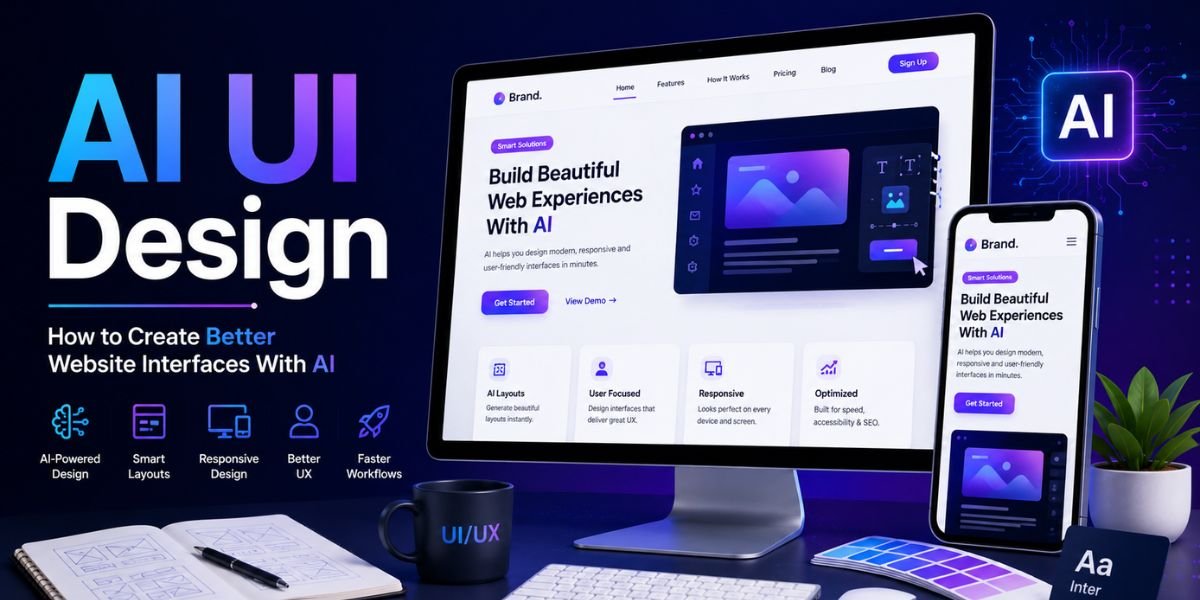
AI UI Design is changing the way designers, developers, businesses, and website owners create modern digital interfaces. Artificial intelligence can now help with wireframes, page layouts, colour palettes, typography, navigation ideas, interface components, responsive layouts, user flows, and visual concepts. Instead of starting every project from a blank screen, designers can use AI to generate ideas and then refine them into practical website interfaces.
The rise of AI UI Design does not mean that human designers are no longer important. AI can produce concepts quickly, but good user interface design still requires human judgement. A website needs to be easy to understand, accessible, responsive, visually consistent, and aligned with the needs of its visitors. AI works best when it supports these goals rather than replacing them.
For website owners, AI UI Design can reduce the time required to explore different layouts and design directions. You can ask an AI tool to create a homepage structure, suggest a dashboard layout, improve a navigation menu, redesign a form, or create a mobile-friendly interface. You can then review the result and make changes based on your audience and business objectives.
This guide explains how to use AI UI Design effectively, the benefits of AI-assisted interface creation, important design principles, useful prompts, common mistakes, accessibility considerations, SEO factors, and practical ways to create better website interfaces with AI.
What Is AI UI Design?
AI UI Design refers to using artificial intelligence to help create, improve, analyse, or optimise user interfaces for websites and digital products. UI, or user interface, includes the visual and interactive elements visitors use when interacting with a website.
What Does a Website Interface Include?
A website interface can include:
- Navigation menus
- Buttons
- Forms
- Search bars
- Cards
- Hero sections
- Product grids
- Pricing tables
- Sliders
- Tabs
- Accordions
- Modals
- Dashboards
- Breadcrumbs
- Footer navigation
- Call-to-action sections
AI UI Design can help generate ideas for these elements and determine how they might work together on a page.
For example, you can ask an AI tool to create a SaaS homepage with a navigation bar, hero section, feature cards, customer logos, product screenshots, pricing, testimonials, FAQs, and a final CTA. The AI can provide a starting structure that can later be refined.
AI UI Design vs Traditional UI Design
Traditional UI design often begins with research, wireframing, mood boards, component creation, prototyping, and multiple rounds of revisions. AI UI Design can accelerate several of these stages.
Instead of manually creating the first ten layout ideas, a designer can ask AI to generate several options and then select the most promising direction.
However, AI-generated layouts may contain unnecessary elements or follow common design patterns too closely. Human review remains important for deciding whether the interface actually solves the user’s problem.
Why AI UI Design Matters in 2026
AI UI Design is becoming more useful because modern websites need to deliver more personalised, responsive, and accessible experiences while businesses want to build and update pages faster.
Faster Design Exploration
One of the biggest advantages of AI UI Design is speed. AI can produce multiple concepts from one design brief.
For example, you could ask for:
- A minimalist homepage
- A premium corporate homepage
- A bold startup homepage
- A conversion-focused landing page
- A content-focused blog layout
You can compare the options before deciding which direction fits your business.
Easier Design for Non-Designers
Small businesses and individual website owners may not have access to a full design team. AI UI Design can help them generate reasonable starting points using natural-language instructions.
Someone can describe their business, target audience, pages, and preferred style without needing advanced knowledge of design software.
Faster Iteration
Design is rarely perfect on the first attempt. AI UI Design allows users to make changes through instructions.
You can ask:
Make the navigation simpler and reduce the number of menu items.
Or:
Increase the visual prominence of the primary CTA while keeping the layout clean.
This can speed up the iteration process.
How to Create Better Website Interfaces With AI

Creating effective AI UI Design requires a structured process. Instead of asking AI to “make a beautiful website”, give it enough information to understand the problem.
Step 1: Define the Website Goal
Start with the primary purpose of your website.
Your goal might be:
- Selling products
- Generating leads
- Getting bookings
- Building an email list
- Promoting a service
- Publishing articles
- Providing software
- Showcasing a portfolio
A clear goal gives your AI UI Design process direction.
For example, a lead-generation website should make the contact or enquiry process highly visible. A blog should prioritise readability and content discovery, while an ecommerce website needs strong product browsing and purchasing flows.
Step 2: Define Your Target Audience
Tell the AI who will use the website.
Include information such as:
- Age group
- Industry
- Experience level
- Main problems
- Buying intent
- Technical knowledge
- Device preferences
This information helps AI UI Design tools generate interfaces that are more relevant to the intended users.
Step 3: Plan the User Journey
A website interface should guide visitors towards useful actions.
Think about the path from the first page visit to the desired outcome.
For example:
Homepage → Product → Features → Pricing → Checkout
Or:
Homepage → Service → Benefits → Testimonials → Contact
A good AI UI Design prompt can ask the AI to map this journey before creating individual page layouts.
Use AI to Create Website Wireframes
Wireframes are simple representations of a page structure. They show where important elements should appear before visual styling is added.
Start With Low-Fidelity Wireframes
Ask your AI UI Design tool to create a basic structure first.
For example:
Create a low-fidelity wireframe for a SaaS homepage. Include navigation, hero section, product screenshot, three key benefits, social proof, feature comparison, pricing, FAQ, and CTA. Prioritise a clear user journey.
The result can help you identify missing sections before spending time on colours and imagery.
Create Multiple Layout Options
Ask AI to generate three or four wireframe variations.
One layout could prioritise the product, another could focus on social proof, and another could emphasise the main CTA.
This makes AI UI Design useful during the exploration stage rather than only the final visual-design stage.
Create a Strong Website Navigation
Navigation is one of the most important parts of AI UI Design because visitors need to find information quickly.
Keep Navigation Simple
Avoid filling the main navigation with too many links.
For a small business website, a structure such as:
Home | About | Services | Blog | Contact
may be enough.
A larger website may require categories, dropdown menus, search, breadcrumbs, and other navigation tools.
Use Clear Labels
Navigation labels should describe what visitors will find.
“Services” is generally clearer than “What We Do”, although the best choice depends on your audience and brand tone.
With AI UI Design, you can ask AI to review navigation labels and suggest clearer alternatives.
Create Better Hero Sections
The hero section is usually the first major interface area visitors see.
Make the Value Proposition Clear
A good AI UI Design prompt for a hero section should explain:
- Who the product is for
- What it does
- The main benefit
- The desired CTA
- Visual requirements
For example:
Create a SaaS website hero section for small businesses. Use a clear benefit-driven headline, one short supporting paragraph, a primary “Start Free Trial” button, a secondary “View Demo” link, and a product screenshot. Keep the design modern and spacious.
Avoid Overloading the Hero
A common AI design problem is adding too many elements to the top of a page.
The hero section should quickly communicate the core message. Visitors should not need to study a complicated interface before understanding what the website offers.
Use AI for Responsive UI Design
Modern websites must work across desktop, tablet, and mobile screens. Responsive AI UI Design can help designers think about how layouts should change at different screen sizes.
Design for Mobile First
Mobile users often have less screen space, so the interface should prioritise essential information.
AI can help redesign desktop layouts for mobile by:
- Simplifying navigation
- Stacking content
- Increasing button sizes
- Adjusting typography
- Repositioning images
- Simplifying tables
- Making forms easier to complete
Test Different Screen Sizes
Do not assume an AI-generated interface will automatically work perfectly on every device.
Review:
- Desktop
- Laptop
- Tablet
- Mobile
- Different screen orientations
Responsive AI UI Design should always be tested in an actual browser.
Improve Website Forms With AI
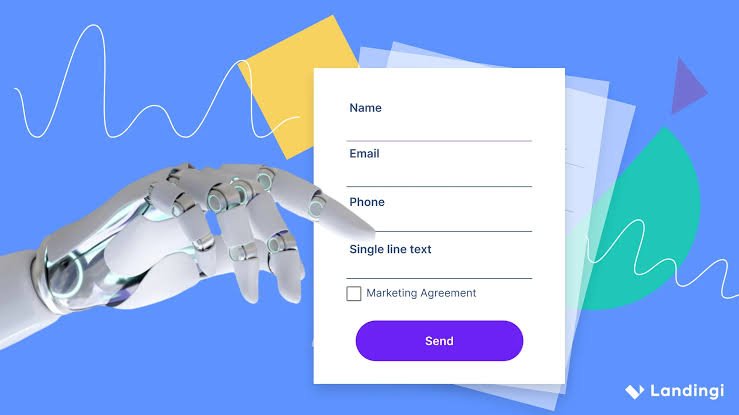
Forms are important for lead generation, account creation, checkout, bookings, and contact requests.
Reduce Unnecessary Fields
Ask AI to review a form and identify fields that may not be necessary.
For example:
Review this lead-generation form and suggest ways to reduce friction while collecting the information required by the sales team.
The resulting recommendations can help simplify the interface.
Use Clear Field Labels
Form labels should be easy to understand.
Instead of vague instructions such as “Enter details”, use specific labels such as:
Business Email
Phone Number
Company Name
Clear form design is an important part of effective AI UI Design.
Create Better Calls to Action
Calls to action guide visitors towards the next step.
Make the Primary CTA Obvious
A website may have several actions, but one should usually be the most important.
Examples include:
- Start Free Trial
- Buy Now
- Get a Quote
- Book a Demo
- Contact Us
- Download Guide
- Create Account
With AI UI Design, you can ask AI to analyse CTA placement and hierarchy.
Use Action-Oriented Language
A CTA such as “Submit” provides little information.
A more specific CTA such as “Get My Free Quote” can communicate what happens next.
However, CTA wording should accurately describe the action.
Use AI for Design Systems
A design system helps maintain consistency across a website.
What Is a Design System?
A design system can include:
- Colours
- Typography
- Buttons
- Forms
- Cards
- Icons
- Spacing
- Borders
- Shadows
- Navigation
- Alerts
- Components
AI UI Design tools can help generate and organise these components.
Create Reusable Components
Instead of designing every button separately, define a consistent button system.
For example:
- Primary button
- Secondary button
- Outline button
- Text button
- Disabled button
The same principle can be applied to cards, forms, headings, and other interface elements.
Use AI for Website Accessibility
Accessibility should be a core part of AI UI Design, not an optional feature.
The Web Content Accessibility Guidelines, or WCAG, provide internationally recognised recommendations for accessible web content. WCAG 2.2 includes guidance covering areas such as keyboard operation, contrast, focus visibility, text alternatives, target sizes, and accessible forms.
Improve Colour Contrast
Text should be readable against its background.
Ask AI to identify possible contrast issues, but verify the results with appropriate accessibility testing tools.
Design for Keyboard Users
Important website interactions should be usable without a mouse.
Check:
- Navigation
- Buttons
- Forms
- Dropdowns
- Modals
- Search
- Interactive components
Use Clear Focus States
Keyboard users need to know which element currently has focus.
A visible focus indicator is an important part of accessible AI UI Design.
AI UI Design and Visual Hierarchy
Visual hierarchy determines what visitors notice first, second, and third.
Use Size Strategically
Large headings can attract attention, while smaller supporting text provides additional information.
Do not make every element large. If everything looks important, nothing looks important.
Use Contrast Carefully
Contrast can help highlight:
- Primary CTAs
- Important information
- Navigation
- Pricing
- Alerts
- Product benefits
A controlled approach makes AI UI Design more effective and easier to scan.
Use Whitespace
Whitespace gives elements room to breathe.
AI-generated interfaces sometimes contain too many cards, buttons, and decorative elements. Ask AI to simplify the design and increase whitespace where appropriate.
AI UI Design for Different Website Types
Different websites require different interface priorities.
Ecommerce Websites
Ecommerce AI UI Design should focus on product discovery and purchasing.
Useful elements include:
- Search
- Filters
- Product categories
- Product cards
- Reviews
- Pricing
- Add-to-cart buttons
- Wishlist
- Checkout
SaaS Websites
SaaS interfaces need to explain software benefits quickly.
Useful sections include:
- Product demonstration
- Features
- Integrations
- Pricing
- Customer logos
- Testimonials
- FAQs
- Free trial CTA
Blogs
Blog AI UI Design should prioritise readability and content discovery.
Useful features include:
- Categories
- Search
- Author information
- Related posts
- Table of contents
- Newsletter signup
- Breadcrumbs
Portfolio Websites
Portfolio interfaces should make the work the centre of attention.
Use:
- Large project images
- Case studies
- Short project descriptions
- Skills
- About section
- Contact CTA
AI UI Design Prompts You Can Use
Effective prompts can make AI-assisted interface creation much easier.
Homepage Prompt
Design a modern homepage for a [business type]. The target audience is [audience]. Include navigation, hero section, benefits, services, testimonials, FAQ, and a strong CTA. Use a clean responsive layout with clear visual hierarchy and accessible typography.
Mobile Redesign Prompt
Redesign this desktop website for mobile devices. Simplify navigation, improve touch targets, adjust typography, stack content logically, and maintain the primary user journey.
UX Review Prompt
Analyse this website interface as a professional UX designer. Identify problems with navigation, visual hierarchy, spacing, forms, CTA placement, accessibility, mobile responsiveness, and user flow. Prioritise the most important improvements.
Landing Page Prompt
Create a conversion-focused landing page for [product]. Use a clear value proposition, product benefits, social proof, feature section, FAQ, objection handling, and strong CTA. Keep the interface clean and focused.
AI UI Design and SEO

SEO and AI UI Design should work together. A visually attractive interface is not enough if important content is difficult for users or search engines to access.
Use Clear Heading Structures
Organise content logically with descriptive headings.
Your page should have a clear hierarchy so users can scan the content easily.
Keep Important Content Accessible
Do not hide essential information behind interactions that prevent visitors from accessing it easily.
Search engines need to be able to discover important content, while users should not have to click through unnecessary interface elements.
Improve Internal Linking
Good internal linking helps users discover related content and gives search engines additional context about your website.
For example, an article about AI UI Design could naturally link to related content about AI website builders, AI website graphics, AI image generators, and AI web design trends.
Optimise Page Performance
Interface design can have a major effect on website speed.
Large images, videos, animations, third-party scripts, and heavy libraries can increase page weight.
Google’s Core Web Vitals focus on loading performance, responsiveness, and visual stability. Current recommended thresholds include LCP of 2.5 seconds or less, INP of 200 milliseconds or less, and CLS of 0.1 or less at the 75th percentile.
Performance should therefore be considered during the AI UI Design process rather than after the website is finished.
Common AI UI Design Mistakes
AI can create impressive interface concepts, but it can also introduce problems.
Making the Interface Too Complicated
AI may add extra cards, animations, buttons, sections, and decorative elements.
Ask the AI to simplify the interface and focus on the primary user goal.
Following Every Design Trend
Not every trend belongs on every website.
A business website does not need 3D animations, glassmorphism, parallax scrolling, and animated backgrounds simply because they are available.
Using Generic AI Layouts
Many AI-generated interfaces use familiar patterns.
Customise the colours, typography, imagery, components, and content so the website reflects your brand.
Ignoring Real User Behaviour
AI can suggest what might work, but real visitors determine whether an interface works.
Use analytics, user testing, feedback, and conversion data to improve the website.
Forgetting Accessibility
A visually attractive interface can still exclude users if it has poor contrast, tiny text, confusing navigation, inaccessible forms, or difficult keyboard interactions.
Accessibility should remain part of every AI UI Design project.
How to Improve an Existing Website With AI
You do not need to create a completely new website to benefit from AI UI Design.
Start With a Website Audit
Give AI screenshots, page structures, or descriptions of your current website and ask it to identify interface problems.
Ask it to review:
- Navigation
- Homepage
- Mobile layout
- Typography
- Colour usage
- CTAs
- Forms
- Content hierarchy
- Page spacing
- Accessibility
- User journey
Prioritise the Biggest Problems
Do not change everything at once.
Start with issues that directly affect usability or conversions.
For example, if visitors cannot understand what your business does within a few seconds, improve the homepage value proposition before redesigning minor visual details.
Compare Before and After
Track important metrics after making major interface changes.
Depending on your website, useful measurements can include:
- Conversion rate
- Form completion
- Engagement
- Bounce or engagement signals
- Product purchases
- Signups
- Average engagement time
- Search performance
This turns AI UI Design into an ongoing improvement process rather than a one-time redesign.
The Future of AI UI Design
The future of AI UI Design is likely to involve more adaptive interfaces, conversational interactions, AI-powered design systems, and websites that can respond more effectively to user intent.
More Conversational Interfaces
Visitors may increasingly interact with websites through natural-language interfaces instead of navigating through multiple menus.
For example, an ecommerce visitor could ask:
“Show me waterproof hiking shoes under $150.”
The interface could then present relevant products.
More Personalised Experiences
AI can help websites adjust content and recommendations based on context.
However, personalisation should remain useful, transparent, and respectful of privacy.
AI-Assisted Design Systems
Future design tools may make it easier to maintain consistency across large websites by automatically applying approved components, colours, typography, and layouts.
This could make AI UI Design particularly useful for businesses with many pages and digital products.
Must Read:
- AI Branding Tools: How to Create a Complete Brand Identity
- AI Website Graphics: How to Create Stunning Visuals With AI?
- AI Website Design Prompts: 25 Prompts for Better Web Design
Final Thoughts:
AI UI Design is becoming a practical way to create better website interfaces faster. AI can help generate wireframes, navigation structures, page layouts, design systems, responsive concepts, colour combinations, component ideas, and UX recommendations.
The biggest benefit is not simply automation. The real advantage is faster experimentation. Instead of spending hours creating the first version of an interface, designers and website owners can explore several concepts quickly and then focus their time on refinement.
However, successful AI UI Design requires more than attractive visuals. A good interface must have a clear purpose, simple navigation, readable typography, strong visual hierarchy, responsive layouts, accessible interactions, useful content, and fast performance.
Use AI as a design partner rather than an automatic replacement for judgement. Give it detailed information about your business and audience, ask for multiple concepts, review every recommendation, and test the final interface with real users.
The strongest AI UI Design strategy combines artificial intelligence with established design principles and human creativity. When AI is used to accelerate research, ideation, prototyping, testing, and refinement, it can help businesses create website interfaces that are more professional, easier to use, and better aligned with customer needs.
In 2026, the goal should not be to build a website that simply looks like it was made with AI. The goal is to use AI UI Design to build a website that feels intuitive, useful, accessible, fast, and genuinely designed for the people who use it.