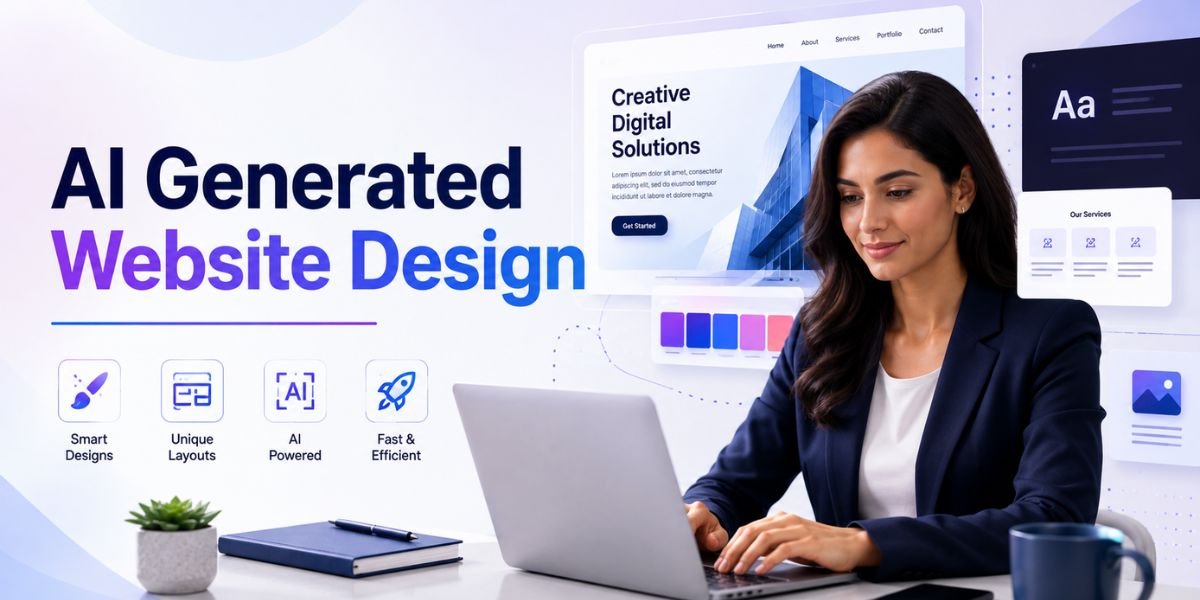
AI Generated Website Design has made it easier than ever to create websites quickly. AI can generate page layouts, colour palettes, typography combinations, website copy, images, sections, navigation ideas, and complete website concepts from simple instructions. This can save time for businesses, bloggers, freelancers, agencies, and entrepreneurs who want to build a professional website without starting everything manually.
However, there is one important problem. If everyone uses the same AI website builders, templates, prompts, and design styles, many websites can begin to look similar. A website may be technically modern but still feel generic. This is why creating a unique visual identity is becoming increasingly important.
The goal of AI Generated Website Design should not be to let AI create every decision automatically. Instead, AI should help you explore ideas, speed up production, and improve your workflow while you provide the creative direction. Your brand, audience, business story, content, imagery, colours, typography, and user experience should make the final website different from others.
A unique website does not necessarily need complicated animations or unusual layouts. It needs a clear personality and a design system that feels connected to the business. In this guide, you will learn how to use AI Generated Website Design to create a website that looks professional, memorable, useful, and different from generic AI-created websites.
What Is AI Generated Website Design?
AI Generated Website Design refers to the use of artificial intelligence to create or assist with website layouts, visual elements, content structures, images, user interfaces, and other parts of a website.
Instead of manually designing every section, you can describe what you want using natural language. AI can then generate a starting point based on your instructions.
What Can AI Generate for a Website?
Modern AI tools can help create many parts of a website, including:
- Homepage layouts
- Hero sections
- Navigation menus
- Landing pages
- Product pages
- Service pages
- Blog layouts
- Pricing sections
- FAQ sections
- Contact forms
- Website images
- Illustrations
- Colour palettes
- Typography combinations
- Calls to action
- Content ideas
- Responsive layout concepts
The exact features depend on the AI website builder or design tool you use.
Why AI Websites Can Look Similar
AI systems often learn from common design patterns. If you provide a generic instruction such as:
Create a modern website for a technology company.
The result may include familiar elements such as a blue gradient, large headline, laptop image, rounded cards, three feature boxes, customer testimonials, and a standard CTA.
There is nothing inherently wrong with these elements. They become a problem when every website uses the same structure and visual language.
This is why effective AI Generated Website Design requires more specific creative direction.
Why a Unique Website Matters

Your website is often one of the first places where potential customers interact with your brand. A distinctive design can help visitors understand who you are and what makes your business different.
Build Stronger Brand Recognition
A unique visual identity helps people remember your business.
Your brand might use a specific combination of colours, typography, photography, illustrations, shapes, layouts, and writing style. When these elements appear consistently, visitors can start recognising your brand across different channels.
Stand Out From Competitors
If your competitors use similar templates, a customised website can give your business a stronger visual presence.
This does not mean making the website complicated. A simple but distinctive design can be more memorable than a visually overloaded interface.
Create a Better User Experience
Unique design should not only be about appearance.
The best AI Generated Website Design combines visual identity with usability. Visitors should still be able to find information, understand your products or services, navigate the website, and complete important actions easily.
Start With Your Brand Before Using AI
One of the biggest mistakes is opening an AI website builder before deciding what the brand should look like.
Define Your Brand Personality
Start by choosing three to five words that describe your brand.
For example:
- Professional
- Friendly
- Innovative
- Trustworthy
- Creative
Another business might choose:
- Premium
- Elegant
- Minimal
- Sophisticated
- Exclusive
These characteristics should influence your AI Generated Website Design.
Define Your Target Audience
Your website should be designed for the people you want to attract.
A website targeting corporate executives may need a different visual style from one targeting teenagers, creative professionals, travellers, or small business owners.
Tell your AI tool who your audience is and what they expect from the website.
Define Your Main Business Goal
Your design should support a clear objective.
Your primary goal could be:
- Generate leads
- Sell products
- Get bookings
- Increase signups
- Promote a service
- Build an email list
- Publish content
- Showcase a portfolio
When AI understands the goal, it can generate more relevant layouts.
Use Custom AI Prompts
The quality of your AI Generated Website Design depends heavily on the instructions you provide.
Avoid Generic Prompts
A prompt such as:
Create a modern website for my business.
does not give AI enough information.
Try something more detailed:
Create a modern website for a small business that provides AI-powered marketing services to local retailers. The target audience is business owners aged 30 to 55 who want affordable marketing automation. Use a professional but friendly visual style, deep navy as the primary colour, warm orange as an accent, editorial-style photography, large readable typography, and a clean asymmetric layout. Avoid generic technology illustrations and excessive gradients.
This gives the AI a much stronger creative direction.
Tell AI What to Avoid
Negative instructions can be particularly useful.
You can tell AI:
- Avoid generic stock imagery.
- Avoid excessive gradients.
- Avoid unnecessary animations.
- Avoid overly rounded cards.
- Avoid crowded layouts.
- Avoid too many colours.
- Avoid generic corporate photography.
- Avoid repetitive sections.
This can help your AI Generated Website Design move away from common patterns.
Create a Distinctive Colour Palette
Colour is one of the easiest ways to make an AI-generated website feel unique.
Choose a Primary Colour
Start with one main brand colour.
For example:
- Deep green
- Burgundy
- Navy
- Terracotta
- Purple
- Mustard
- Teal
- Charcoal
Your choice should reflect your brand personality.
Add a Secondary Colour
Use a supporting colour to create contrast and visual variety.
For example, a website could combine dark navy with warm cream, or deep green with soft beige.
Use Accent Colours Carefully
Accent colours can highlight:
- Buttons
- Links
- Icons
- Important information
- Hover states
Do not use too many accent colours. A controlled palette often looks more professional.
Create a Brand Colour System
Instead of telling AI to “use blue”, provide exact colour values.
For example:
Primary: #18243A
Secondary: #E9D8B4
Accent: #C46A3A
Background: #FAF8F3
Text: #202020
This makes your AI Generated Website Design more consistent.
Use Custom Typography
Typography can dramatically change the personality of a website.
Choose Fonts Based on Brand Personality
A technology company might use a clean sans-serif typeface. A luxury brand might use an elegant serif combined with a simple sans-serif. A creative studio could use a distinctive display font for headlines.
The important thing is consistency.
Create a Typography Hierarchy
Define:
- H1 style
- H2 style
- H3 style
- Body text
- Navigation
- Buttons
- Captions
This gives the website a clear visual structure.
Avoid Too Many Fonts
Using several unrelated fonts can make an AI-generated website look inconsistent.
A simple combination of one heading font and one body font is often enough.
Create Original AI Website Images

Images are one of the strongest opportunities for making AI Generated Website Design unique.
Instead of using generic stock photography, create custom visuals that match your brand.
Design Images Around Your Website
For example, if your website sells AI marketing software, you could generate an image showing a realistic marketing professional using the software in a modern office.
For a travel website, you could create custom destination-inspired imagery with a consistent photographic style.
For a fashion brand, you could create editorial-style visuals using your specific colour palette and composition.
Use Consistent Image Prompts
Create a reusable image prompt structure.
For example:
Create a premium editorial photograph for [topic]. Use soft natural lighting, warm neutral colours, realistic photography, clean composition, subtle film texture, and sophisticated styling. Maintain a modern premium visual identity.
Then change the subject while keeping the overall visual direction.
This makes your AI Generated Website Design feel more cohesive.
Create a Unique Layout
Many AI-generated websites use predictable grids. You can make your site more distinctive by experimenting with layout while keeping usability in mind.
Try Asymmetric Sections
Instead of placing everything perfectly centred, consider:
- Offset images
- Unequal columns
- Layered elements
- Overlapping cards
- Split-screen sections
- Editorial layouts
For example, a hero section could have text occupying 40% of the width and a large visual occupying 60%.
Use Editorial Design Principles
Editorial websites often use strong typography, large images, varied column widths, and deliberate whitespace.
This style can make a website feel more sophisticated and less like a standard template.
Create Custom Section Shapes
Instead of using the same rectangular blocks throughout the site, you can use subtle curves, angled sections, or overlapping visual elements.
Use these elements carefully. The purpose is to create identity without reducing readability.
Build a Custom Design System
A design system can turn a collection of AI-generated sections into a consistent website.
Define Your Components
Create rules for:
- Buttons
- Cards
- Forms
- Navigation
- Headings
- Icons
- Images
- Spacing
- Borders
- Shadows
For example, your primary button could always use the same colour, border radius, typography, and padding.
Maintain Consistency
A unique website does not mean every page should look completely different.
Instead, each page should feel like part of the same brand.
Your homepage, blog, product pages, service pages, and contact page should share the same design language.
Make the Hero Section Different
The hero section is one of the most important areas of AI Generated Website Design because it is often the first major visual visitors see.
Use a Strong Value Proposition
Your headline should clearly explain what your business offers.
Avoid vague statements such as:
Transform Your Digital Future.
Instead, use something specific:
Build Professional Websites With AI in Less Time.
A clear headline immediately tells visitors what the website is about.
Use Custom Visual Composition
Instead of placing a generic laptop image next to your headline, consider creating a visual that tells a story.
For example, a website for an AI design platform could show a person working on multiple interface designs across a desktop, tablet, and mobile device.
Add Real Brand Content
AI can generate placeholder content, but your final website should contain real information.
Use Real Business Details
Add:
- Real company information
- Real services
- Real products
- Real contact details
- Real customer reviews
- Real case studies
- Real statistics
This makes the website more trustworthy.
Add Original Stories
Your company’s story can make the website feel more human.
Explain why the business exists, what problem it solves, how it started, and what makes its approach different.
This type of content is difficult for a generic AI template to reproduce because it belongs specifically to your business.
Use Custom Icons and Illustrations
Icons are another way to create a distinctive visual identity.
Create a Consistent Icon Style
Choose one approach:
- Line icons
- Filled icons
- Rounded icons
- Geometric icons
- Hand-drawn icons
- 3D icons
Then use that style throughout the website.
Create Branded Illustrations
If your brand is creative, custom illustrations can make the website more memorable.
AI can help generate the initial concepts, which can then be refined to match your visual identity.
Add Purposeful Animation
Animation can make AI Generated Website Design feel more dynamic, but it should have a purpose.
Use Micro-Interactions
Examples include:
- Button hover effects
- Smooth menu transitions
- Form feedback
- Animated progress indicators
- Image hover effects
- Subtle scrolling animations
These details can make the interface feel polished.
Avoid Excessive Motion
Too much animation can distract visitors and increase page weight.
The goal is not to make every element move. Use animation where it improves feedback, storytelling, or navigation.
Make Your Website Human
One of the biggest risks of AI Generated Website Design is creating a website that feels too artificial.
Use Real Photography Where Appropriate
AI-generated images are useful, but real photos can create authenticity.
Consider using real photographs for:
- Team members
- Office
- Products
- Events
- Customers
- Physical locations
Add Human Writing
AI can help draft website copy, but your final content should sound like your brand.
Add your own experiences, examples, opinions, and specific details.
A website with unique information will feel more authentic than one filled with generic AI text.
AI Generated Website Design and SEO
A unique visual design should not come at the expense of SEO.
Keep Content Crawlable
Important website information should be available as text rather than being placed entirely inside images.
Use proper HTML text for:
- Headlines
- Product information
- Service descriptions
- Navigation
- FAQs
- Calls to action
Use Descriptive Headings
Organise your pages using clear heading structures.
This improves readability and helps search engines understand the content hierarchy.
Optimise Images
AI-generated images can be large.
Before uploading them:
- Resize them
- Compress them
- Use appropriate formats
- Add descriptive filenames
- Add useful alt text
For example:
ai-generated-website-design-dashboard.jpg
is more descriptive than:
image001.jpg
Maintain Fast Loading
A visually impressive website can still perform poorly if it uses huge images, unnecessary animations, and heavy scripts.
Optimise your AI Generated Website Design for speed from the beginning.
AI Generated Website Design and Accessibility
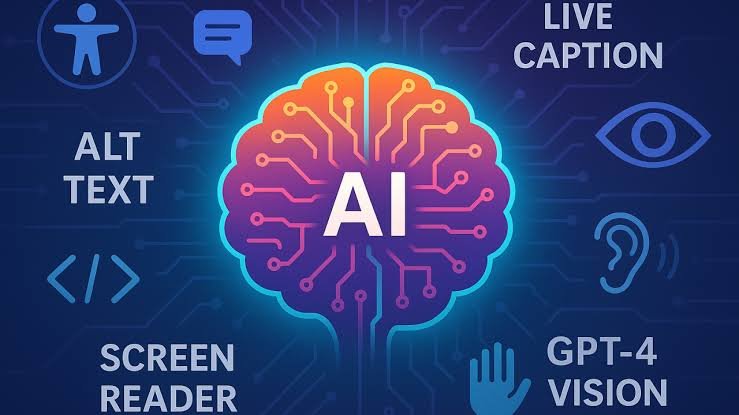
A unique website must still be accessible.
Maintain Good Colour Contrast
Creative colour combinations should not make text difficult to read.
Check contrast between text and backgrounds, particularly for buttons and navigation.
Make Buttons Easy to Use
Buttons should be large enough to interact with comfortably, particularly on mobile devices.
Use clear labels such as:
- Start Free Trial
- Book a Demo
- Get a Quote
- Shop Now
- Contact Us
Support Keyboard Navigation
Important interface elements should work for keyboard users.
Make sure visitors can navigate menus, forms, buttons, and interactive components without relying entirely on a mouse.
Common Mistakes With AI Generated Website Design
AI can save time, but several mistakes can make a website look generic.
Using the Default AI Template
The easiest option is often the least distinctive.
Change the layout, colours, typography, imagery, content, and components to reflect your brand.
Using Generic AI Prompts
A vague prompt often creates a predictable result.
Give AI specific information about your audience, brand, goals, and preferred visual style.
Copying Competitors Too Closely
Competitor websites can provide inspiration, but your website should not become a copy.
Identify what works in your industry and then create your own interpretation.
Adding Too Many Trends
Do not add every current design trend to your website.
Too many effects can make the interface confusing and slow.
Choose only the trends that support your brand and audience.
Ignoring Mobile Design
A layout that looks excellent on desktop may not work well on smartphones.
Always review your AI Generated Website Design across different screen sizes.
10 Tips to Make AI Generated Website Design Unique
If you want a quick checklist, use these strategies:
- Define a clear brand personality.
- Create a custom colour palette.
- Use distinctive typography.
- Generate original website imagery.
- Avoid default AI layouts.
- Use custom icons and illustrations.
- Add real business content.
- Create a consistent design system.
- Use animation only when it serves a purpose.
- Review and customise every AI-generated section.
These steps can transform a generic AI-generated website into a more distinctive digital experience.
Best AI Prompt for a Unique Website Design
You can use the following prompt as a starting point:
Create a unique, professional website for [business name], a [business type] serving [target audience]. The main goal is [business goal]. The brand personality is [three to five personality traits]. Use [brand colours] and [font style]. Create an original editorial-inspired layout with strong typography, generous whitespace, custom imagery, distinctive section compositions, and a consistent design system. Avoid generic AI website templates, excessive gradients, repetitive cards, generic stock photography, unnecessary animations, and overly rounded components. Make the website responsive, accessible, fast-loading, easy to navigate, and focused on the user’s main goal. Include Home, About, Services, [other pages], and clear calls to action.
This type of detailed prompt gives AI much more creative direction than a generic request.
Must Read:
- AI UI Design: How to Create Better Website Interfaces With AI
- AI Branding Tools: How to Create a Complete Brand Identity
- AI Website Graphics: How to Create Stunning Visuals With AI?
Final Thoughts:
AI Generated Website Design can help businesses create professional websites faster, but speed should not come at the cost of originality. If you simply accept the first AI-generated template, your website may look similar to many others using the same technology.
The solution is to use AI as a creative assistant rather than allowing it to make every decision. Start with your brand personality, audience, positioning, and business goals. Then use detailed prompts to guide the AI towards a specific visual direction.
Create a custom colour palette, choose distinctive typography, generate original imagery, build a consistent design system, and use layouts that reflect your brand. Add real business information, real stories, genuine testimonials, and authentic photography where appropriate.
At the same time, remember that uniqueness does not mean making a website difficult to use. Your AI Generated Website Design should still have clear navigation, readable content, accessible interactions, responsive layouts, and fast performance.
The strongest websites combine AI efficiency with human creativity. AI can generate dozens of ideas in a short time, but you decide which ideas represent your business. By refining AI-generated layouts, replacing generic content, developing a consistent visual identity, and designing around real users, you can create a website that feels original rather than automated.
In 2026, the advantage will not simply belong to businesses that use AI. It will belong to businesses that know how to use AI creatively. A thoughtful strategy, distinctive branding, useful content, and strong user experience can turn AI Generated Website Design into a powerful way to build a website that stands out from the crowd.